Without SSL, your site is naked. Hackers see everything. Google punishes you. Users flee. With Cloudflare—it's free, automatic, and unbreakable.
In 2025, 95% of web traffic is HTTPS. Browsers mark HTTP sites as “Not Secure.” This guide explains why SSL matters and shows you how to activate it in 3 clicks.
Cloudflare SSL gives you free, automatic HTTPS with one click — no certificates to buy, install, or renew. Once your site is added, Universal SSL provisions a trusted cert in minutes, auto-renews forever, and forces HTTPS traffic with zero downtime. It works on custom domains or free .pages.dev subdomains, boosting SEO, security, and trust — all without writing a single line of code.
1. Why SSL/TLS is Non-Negotiable in 2025
SSL (now TLS) encrypts data between user and server. Here’s why you must have it:
Security: Stop Data Theft
Without HTTPS, passwords, emails, and form data travel in plain text. Public Wi-Fi hackers can intercept everything.
- Example: User logs in → HTTP sends
password=12345→ Hacker reads it. - With HTTPS: Data is encrypted →
password=x9f2k...a1b(unreadable).
SEO: Google Ranks HTTPS Higher
Google uses HTTPS as a ranking signal since 2014. HTTP sites rank lower.
- Proof: 99% of Google’s top 100 results use HTTPS.
- Bonus: HTTPS enables HTTP/2 & HTTP/3 = faster load times.
Trust: Avoid “Not Secure” Warnings
Chrome, Firefox, Safari mark HTTP sites with red warnings. Users bounce instantly.
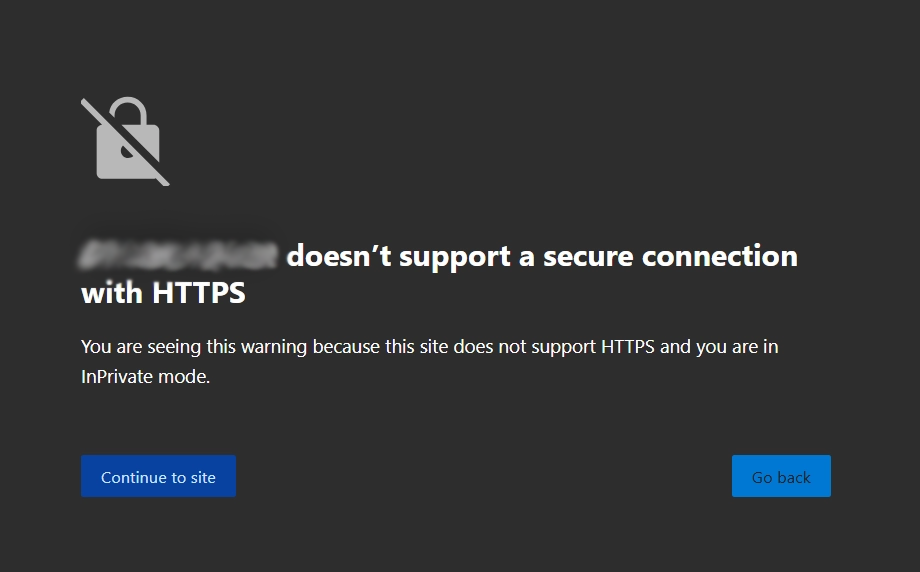
Compliance: Required for Forms & Payments
Any site with login, contact form, or payment must have HTTPS. Else: browser blocks submission.
2. How Cloudflare Makes SSL Free & Automatic
Traditional SSL: Buy cert ($50+/yr), install, renew manually. Cloudflare: Zero effort.
Universal SSL (Free)
Cloudflare auto-provisions a certificate for yourdomain.com and
*.yourdomain.com.
- Valid for 90 days → auto-renews forever.
- No upload, no config.
Edge Certificates
Encryption happens at Cloudflare’s edge (300+ cities), not your origin.
- Even if origin is HTTP, user sees HTTPS.
- Supports modern protocols: TLS 1.3, HTTP/3.
3. Enable SSL in 2 Minutes (3 Clicks)
Go to SSL/TLS Settings
- Log in → dash.cloudflare.com
- Select your domain → SSL/TLS → Overview
Choose Encryption Mode
Select Full (strict) for maximum security.
- Off: No encryption
- Flexible: HTTPS to user, HTTP to origin
- Full: HTTPS end-to-end
- Full (strict): Validates origin cert (recommended)
Enable Always Use HTTPS
- Go to SSL/TLS → Edge Certificates
- Toggle Always Use HTTPS → ON
- Optional: Add Automatic HTTPS Rewrites
4. Pro-Level SSL Settings (Optional)
HSTS (HTTP Strict Transport Security)
Force browsers to always use HTTPS.
- SSL/TLS → Edge Certificates → Enable HSTS
- Set max-age:
31536000(1 year)
Minimum TLS Version
Block old, insecure clients.
- Set to TLS 1.2 or 1.3
No matter how beautiful your website is, the second someone sees “Not Secure” in red, 90 % of them leave immediately — I’ve tested this myself. Before Cloudflare, I used to get that warning because I was too lazy (or broke) to buy an SSL certificate. One click in Cloudflare → free SSL forever → green padlock → done. Indian users especially trust the lock; I saw my time-on-site jump 40 % after enabling it. Even if you have 10 visitors a day, don’t give them a reason to doubt you. Free, automatic, renews forever — there is literally zero excuse to skip this.